 ALSHAHEEN
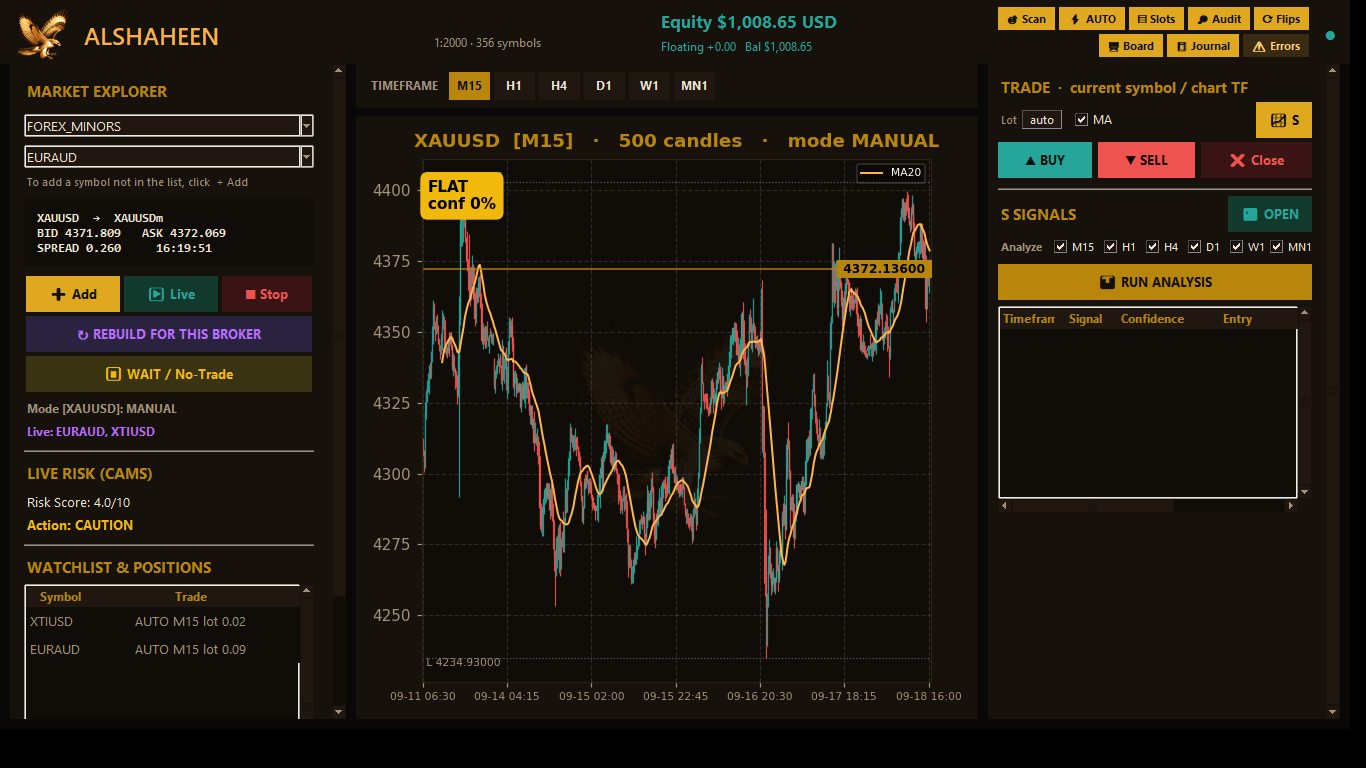
 reads prices from your own MT5 terminal and gives you BUY and SELL readings on six timeframes, built on its own analysis method, with a suggested stop loss, take profit and lot size. When you choose, it places the orders for you.
Analysis only – not financial advice. Trading carries a high risk of loss.
ALSHAHEEN works next to the MetaTrader 5 you already use. No broker password, no copying signals by hand.
Install MetaTrader 5, sign in to your broker account – a demo account is fine – and run ALSHAHEEN. It reads prices straight from your terminal and never asks for your broker sign-in.
How to install
A BUY, SELL or FLAT reading on M15, H1, H4, D1, W1 and MN1, built on ALSHAHEEN's own analysis method – the candle still forming included – each with a suggested stop loss, take profit and lot size measured from the market's own movement.
All featuresUse the readings to place your own trades, or arm the optional AUTO mode on the symbols you choose. It opens and reverses positions by itself on your own MT5 account, and you can stop it at any moment.
Get ALSHAHEENEverything runs on your PC and on your own broker account.
M15, H1, H4, D1, W1 and MN1 – switch with one click and see the reading for each.
Stop loss and take profit measured from volatility (ATR), not fixed guesses.
Forex, metals, indices, energy and crypto CFDs – whatever your broker offers, under its own names.
Opens and reverses positions by itself on the timeframe you arm. A balanced reading does nothing.
Each order goes with a stop loss and a take profit on the broker's server, plus a profit lock.
See the total risk before AUTO starts, and stop it on any symbol at any time.
You need Windows 10 or 11 (64-bit), MetaTrader 5 signed in to your broker account, and internet: the licence is checked at start and about every 6 hours, and ALSHAHEEN works up to 24 hours offline.
Cancel the renewal any time and keep using ALSHAHEEN until the paid period ends.
One key, one computer. When the subscription is no longer active, ALSHAHEEN stops. No refunds, except where a consumer-protection law that applies to you requires one.
No. ALSHAHEEN works through the MetaTrader 5 terminal you have already signed in to; it never asks for your broker sign-in.
Yes – a demo account is fine, and it is the best way to start.
New versions come as a new ZIP behind the same Download button. Close ALSHAHEEN and unzip the new version over the old folder – your settings, logs and saved key are kept.
Reset the key from your Whop orders page, then activate it on the new computer. Reinstalling Windows can make the same PC count as a new one – reset the key the same way.
For up to 24 hours after the last successful licence check. After that it stops; start it again once you are back online.
ALSHAHEEN is an analysis tool – not financial advice, and not a recommendation to buy or sell anything.
Trading leveraged products such as CFDs and forex carries a high risk of loss: positions are opened on margin, so a small move against you can cost a large share of the money committed – ALSHAHEEN was made to protect you as far as it can. Only trade money you can afford to lose.
ALSHAHEEN is meant for traders who know the risks of trading well and are used to working with trading software. It is not recommended for beginners.
Subscribe on Whop, download, and run it next to your MetaTrader 5.